

CEAC Login: Everything You Need to Know for a Seamless Experience
Are you looking to access the CEAC (Consular Electronic Application Center) portal for your U.S. visa application or immigration process? The CEAC login is a crucial step in managing your visa application, tracking your case status, or even submitting documents to the U.S. Department of State. In this comprehensive guide, we’ll walk you through everything you need to know about the CEAC login process, the common issues you might encounter, and how to resolve them effectively.
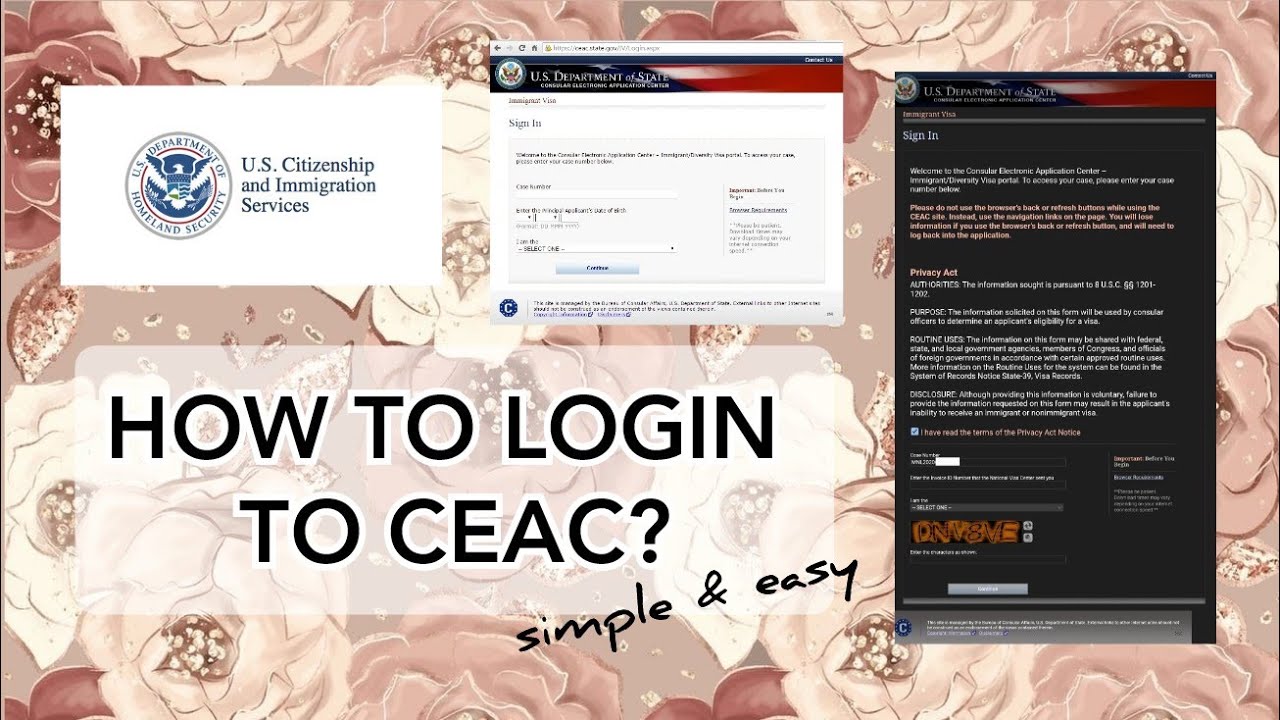
What is the CEAC Portal?
The CEAC, or Consular Electronic Application Center, is an online platform provided by the U.S. Department of State. It allows visa applicants to manage their visa applications, submit documents, and track the status of their cases. The CEAC login is the first step in accessing the platform to begin your visa journey.
Whether you are applying for an immigrant visa, non-immigrant visa, or the Diversity Visa (DV) Lottery, the CEAC login is a mandatory part of the process. The platform is secure and reliable, ensuring that all sensitive information, such as personal details and documents, is safely stored and transmitted.
Why is CEAC Login Important?
The CEAC login serves as the gateway to the entire visa application process. Here are a few reasons why it is so essential:
-
Visa Application Submission: Many visa categories require you to complete your DS-160 or DS-260 form through the CEAC portal. After completing the form, you must log in to submit it to the U.S. government.
-
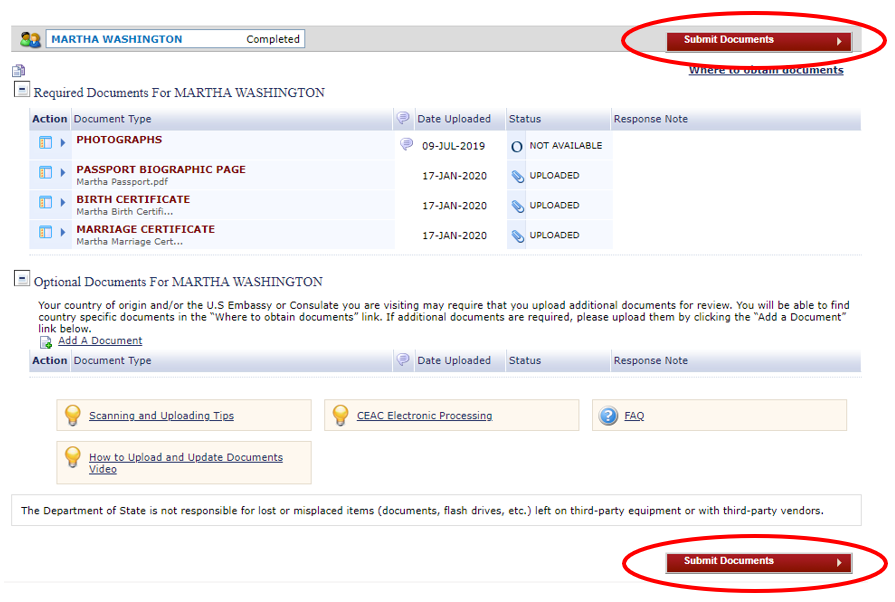
Document Submission: The CEAC portal is also used for uploading supporting documents such as passport copies, photographs, and other required forms.
-
Tracking Case Status: After submitting your application, the CEAC login allows you to monitor the progress of your case, including updates on interview scheduling and document reviews.
-
Communication with the U.S. Embassy: The CEAC portal is a direct channel to communicate with the U.S. embassy or consulate regarding any questions or concerns about your visa application.
Steps for CEAC Login
Now that you understand why the CEAC login is so important, let’s dive into the steps for successfully logging in to the portal:
-
Access the CEAC Portal
To begin, navigate to the CEAC website at https://ceac.state.gov. This is the official site where you will complete all of your visa application-related tasks. -
Select the Visa Category
Once on the site, you’ll need to select the type of visa you’re applying for. The options include immigrant visa, non-immigrant visa, and Diversity Visa Lottery. Choose the appropriate option to proceed. -
Enter Your CEAC Login Credentials
If you already have an account, you will need to enter your login credentials. These credentials typically include your case number and other identifying information related to your visa application. If you don’t have an account, you will need to create one by clicking on the “Create an Account” button. -
Navigating the Dashboard
Once logged in, you’ll be taken to your dashboard. From here, you can start the application process, upload documents, or check the status of your case. -
Track Your Application Status
After completing your application and submitting your documents, you can use the CEAC login to track your case status. This includes receiving notifications about interview scheduling, additional document requests, and more.
Common Issues with CEAC Login
Although the CEAC login process is relatively straightforward, some users experience issues that may prevent them from accessing the portal or completing their visa applications. Here are some common issues and their solutions:
1. Forgotten Username or Password
If you forget your CEAC login username or password, don’t worry – there are options for recovery. Simply click on the “Forgot Username” or “Forgot Password” link on the login page and follow the instructions. You may be asked to provide your email address or case number to verify your identity.
2. Incorrect Case Number
A common mistake that many applicants make is entering the wrong case number. Ensure that you are using the correct number provided to you by the National Visa Center (NVC) or your embassy. If you are unsure about your case number, refer to the documentation you received.
3. Technical Issues with the Website
If you encounter issues with the website, such as a blank page or slow loading times, try refreshing the page or using a different browser. Clearing your browser cache or cookies can also help resolve issues. If the problem persists, check for any system maintenance notifications on the CEAC portal.
4. Submission Errors
Sometimes, users encounter errors when trying to submit their application forms or upload documents. Double-check that all fields are correctly filled out, and ensure that the file sizes and formats for your documents meet the portal’s requirements.
Tips for a Smooth CEAC Login Experience
To ensure your CEAC login process goes smoothly, follow these helpful tips:
-
Use Updated Browsers: The CEAC portal is best accessed using modern, up-to-date browsers like Google Chrome, Mozilla Firefox, or Safari.
-
Keep Your Credentials Secure: Make sure your CEAC login information is stored securely. Do not share your credentials with anyone to protect your personal information.
-
Avoid Multiple Logins: Logging into the CEAC portal from multiple devices or browsers simultaneously can cause issues. Stick to one device for a smooth experience.
-
Save Your Progress: If you’re working on your application over multiple sessions, make sure to save your progress frequently. This prevents data loss if your session expires.
How to Troubleshoot Common CEAC Login Problems
As with any online portal, users may occasionally encounter problems during the login process. Here are some solutions to common CEAC login issues:
-
Clear Browser Cache and Cookies: Old data stored in your browser can cause login issues. Clearing your cache and cookies can resolve this.
-
Disable Pop-Up Blockers: Pop-up blockers may interfere with certain functions on the CEAC website. Disable pop-ups temporarily to ensure smooth functionality.
-
Try a Different Device or Browser: If you’re having trouble with one device or browser, try using another one. This can often resolve compatibility issues.
-
Wait for Website Maintenance to Finish: Occasionally, the CEAC portal will be down for scheduled maintenance. If you experience persistent issues, check for maintenance alerts on the website or wait and try again later.
Conclusion
The CEAC login is a fundamental part of the U.S. visa application process. Whether you’re submitting forms, uploading documents, or tracking your case status, understanding how to log into the CEAC portal is crucial. By following the steps outlined in this guide, and using the troubleshooting tips provided, you can ensure that your CEAC login experience is smooth and hassle-free.
If you encounter any difficulties during the process or need professional assistance with your U.S. visa application, don’t hesitate to contact us at Syed Professional Services. Our expert team is here to help guide you through every step of your immigration journey, from CEAC login to visa approval.

